Know what’s yours.
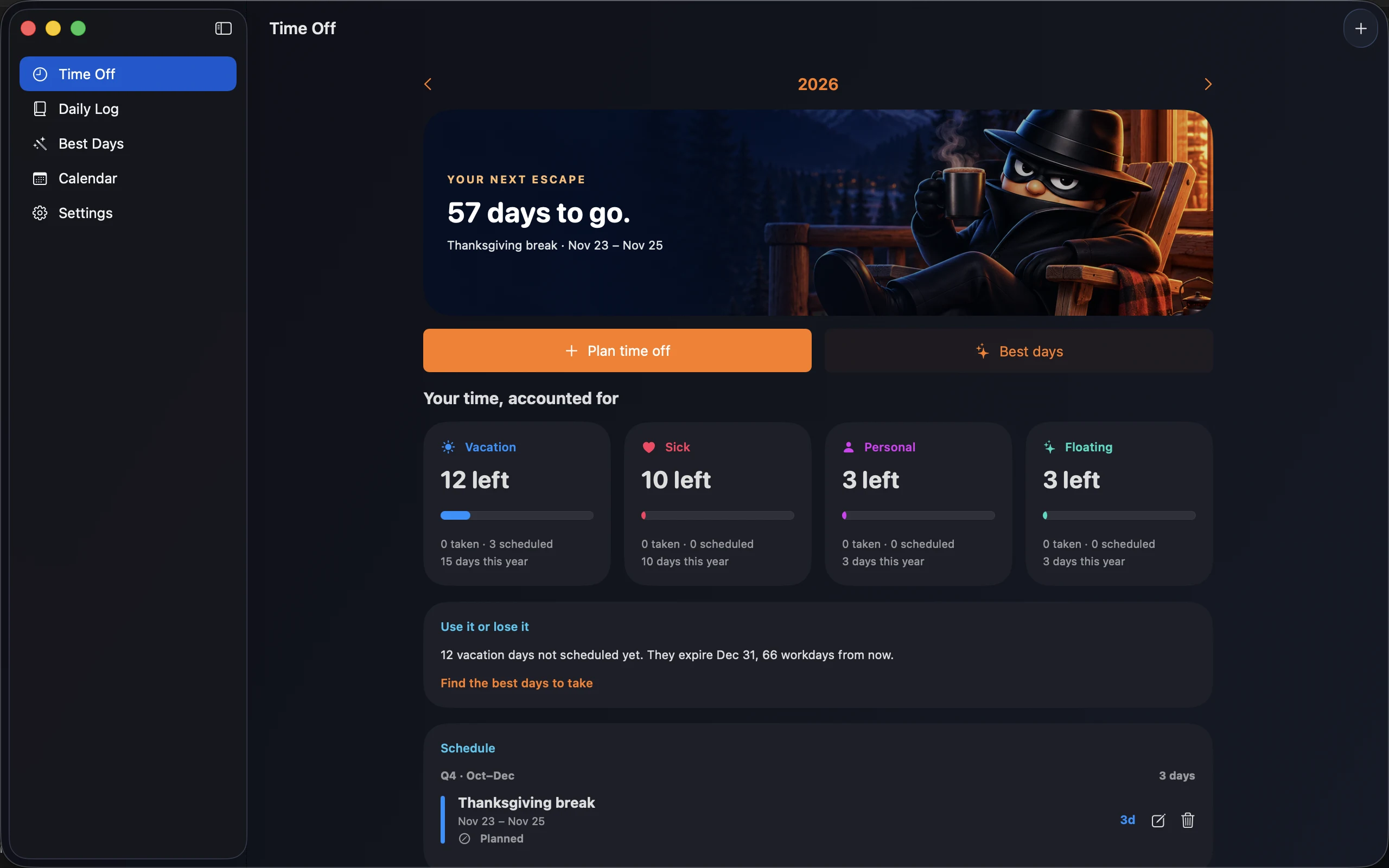
Track vacation, sick, personal, and floating days. See taken, scheduled, and remaining balances, plus a countdown to your next escape.
 TIME OFF BANDIT
Your time. On iPhone, iPad & Mac.
A few well-placed days off can become a proper escape. Plan smarter breaks, track your PTO, and keep a little of each day with moods and journal notes. One personal planner for iPhone, iPad, and Mac.
Explore the 2027 PTO planning guide →
No account. No ads. Your plans stay yours.

Your next escape
1 PTO day 4 days off
01 / Find your opening
Holidays and weekends are already doing some of the work. Time Off Bandit finds the gaps worth taking, based on your holidays and company closures. Filter by PTO budget and quarter to find a break that fits.
For example: if Thanksgiving is a day off and you work Monday–Friday, taking the Friday turns one PTO day into four days away.
Illustrative plan. Your results depend on your work schedule and holidays.
02 / Keep it all together
Track vacation, sick, personal, and floating days. See taken, scheduled, and remaining balances, plus a countdown to your next escape.
Plan by quarter and see use-it-or-lose-it warnings before your days disappear. Local reminders help you stay on top of your plans.
Type “the week of Christmas and a half day next Friday.” Describe it uses Apple Intelligence on supported Apple devices. Review and edit every suggested date before saving.
A look inside
A break on the calendar. A balance you can trust. A little space to remember how the day felt.
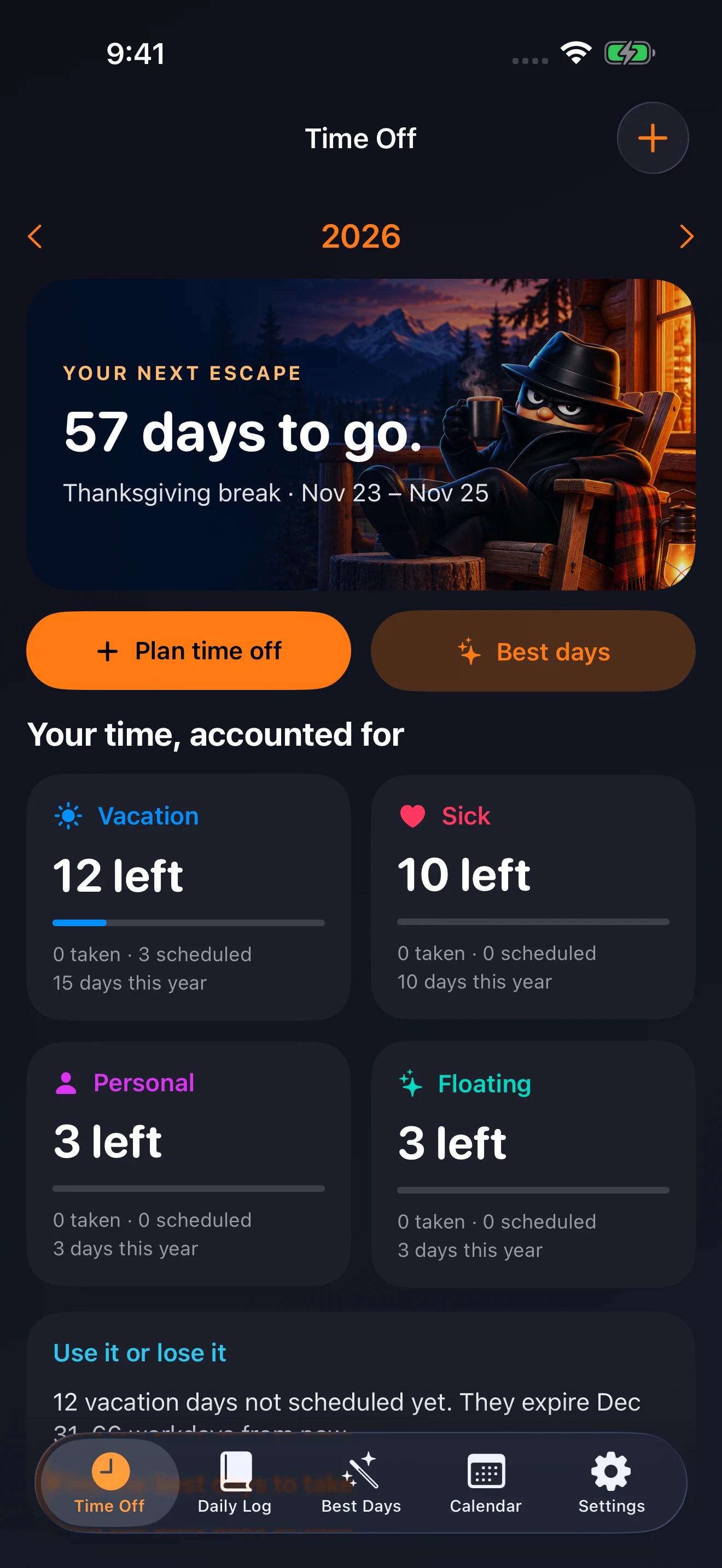
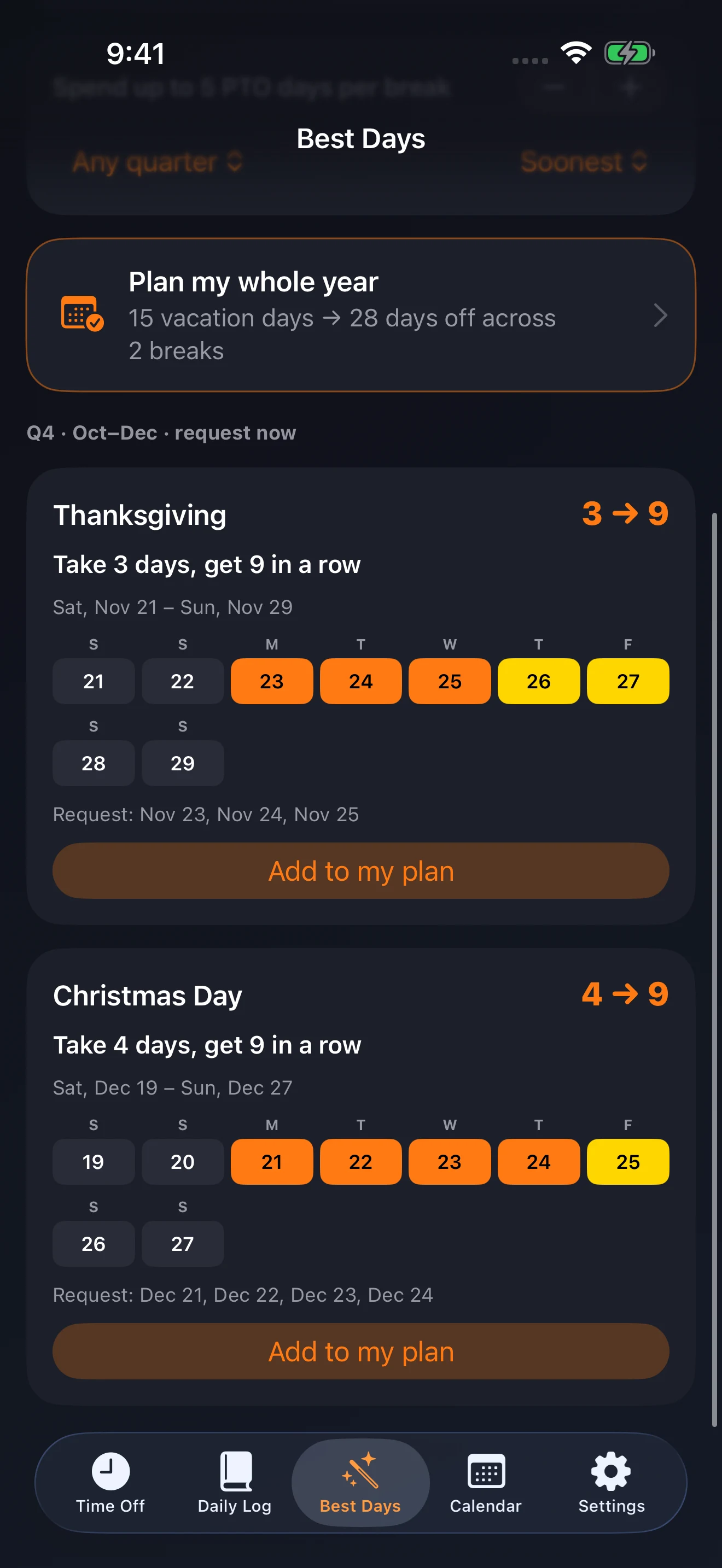
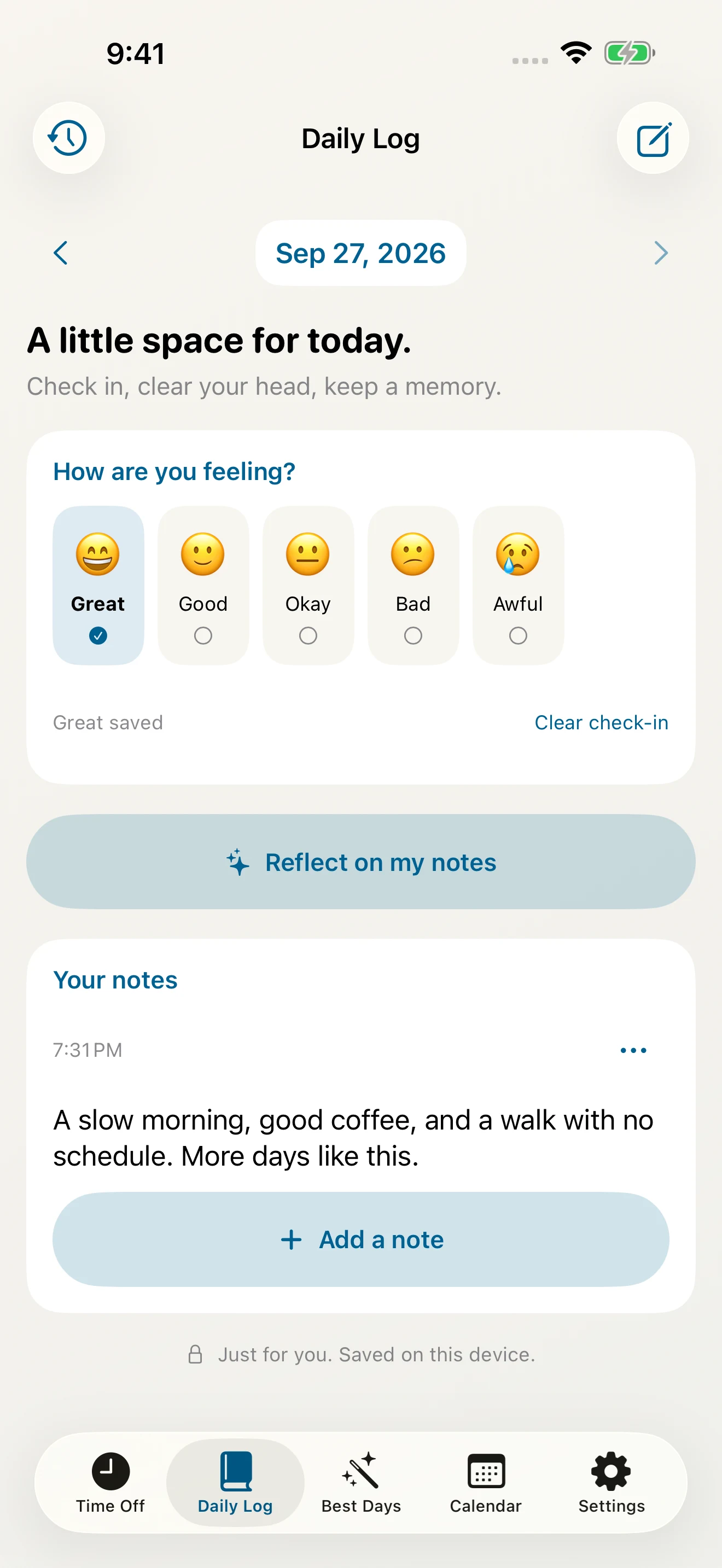
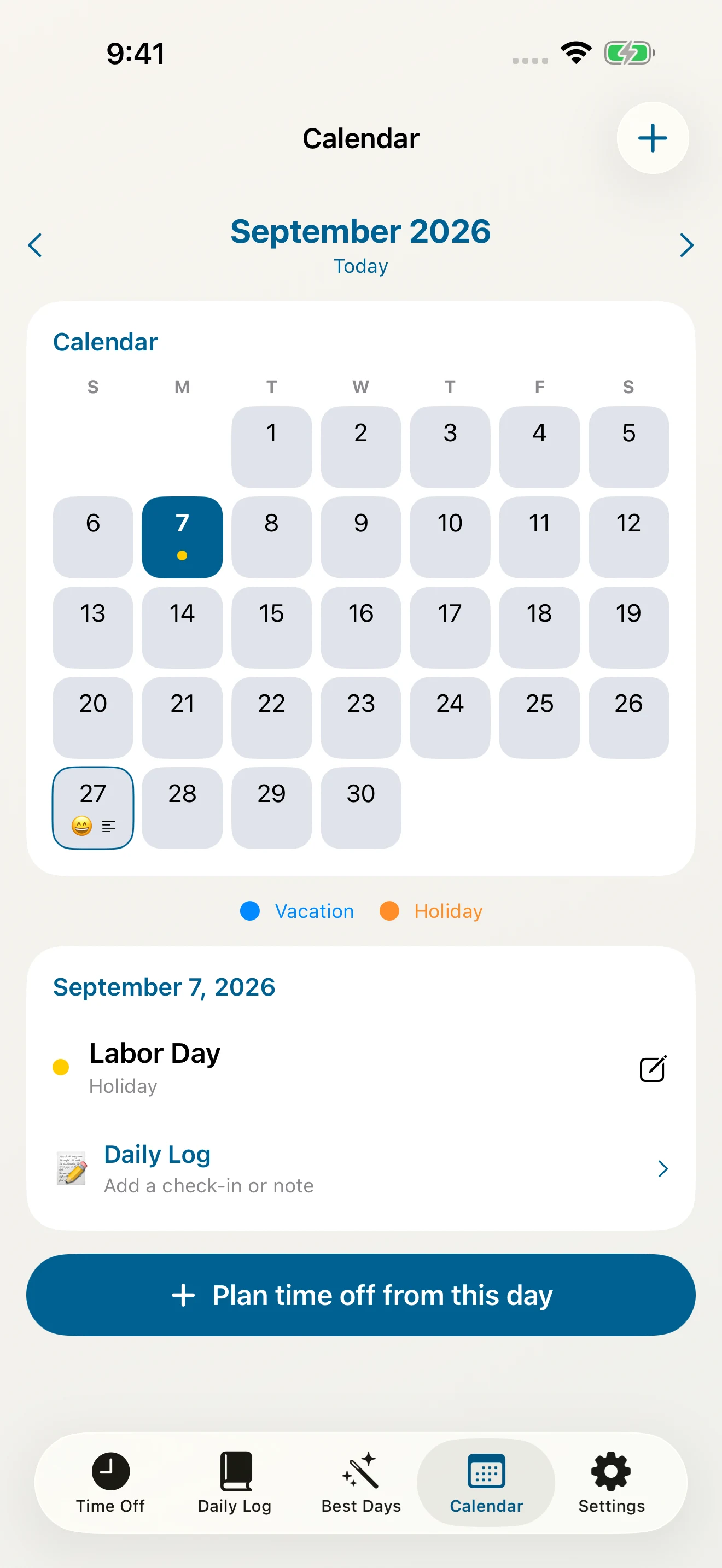
Actual app screens with sample plans and a fictional journal entry. Tap a screen for the full-size view. Your own notes and plans stay private.
Make it yours with Sunset, Ocean, Forest, or Berry, each in light or dark mode. Daily Log and optional on-device Apple Intelligence note reflection are free. AI can make mistakes; check its output against your notes.
More room for the bigger picture
A native Mac app with the same plans, Daily Log, and Best Days. Turn on private iCloud sync on each device to bring your time off, balances, moods, and notes together.
iCloud sync is optional and free. Use the same Apple Account on your devices. Appearance and reminder settings stay yours on each device.
Simple by design
Everyday essentials
$0
Start with a clear picture of your time.
Time Bandit Pro
$9.99 once · US launch price
One Pro purchase for iPhone, iPad, and Mac.
No subscription. Restore with the same Apple Account. Local prices may vary. Public App Store release is coming soon.
Apple Intelligence features require a compatible device with Apple Intelligence enabled. AI can make mistakes; review dates and reflections before relying on them.
Tell us what your workplace needs. Time Off Bandit currently plans individual leave; team administration and enterprise plans are not available yet.
PTO planning, explained
Start with weekends and paid company holidays, then request the workdays between them. If Thursday is a paid holiday and weekends are off, taking Friday gives you four consecutive days away for one PTO day. Our 2027 PTO guide shows specific dates.
Yes. Track vacation, sick, personal, and floating days separately, with taken, scheduled, and remaining balances. Add your own allowances, company holidays, and closures so the plan reflects your workplace.
The planner counts workdays on a Monday–Friday schedule. Weekends and company holidays you add do not use PTO, including half-day requests on those dates. Check your employer’s rules before submitting a request.
Yes. Daily Log lets you record a mood, add and edit notes, search your journal history, and see check-ins alongside your time off on the calendar. Your journal works offline without a separate account or Apple Intelligence. Optional iCloud sync keeps your journal together across your devices through your private Apple Account. On supported devices, optional note reflection uses Apple Intelligence to summarize a day or seven days of notes, highlight themes, and suggest reflection questions. AI can make mistakes; check its output against your notes.
No. Manual time-off entry, balances, and planning work without it. The optional Pro “Describe it” feature and free Daily Log note reflection need a supported device with Apple Intelligence enabled and its model downloaded. You review and edit its dates before saving.
No. Pro is one non-consumable purchase for iPhone, iPad, and Mac, using the same Apple Account. Restore Purchases is in Settings. Your data syncs separately through optional private iCloud sync, which is free.
The iPhone and iPad beta is available through TestFlight, subject to available tester places. The native Mac app is also in testing. Public App Store releases are coming soon. Setup can be skipped, and you can return to it in Settings.
Time Off Bandit is a personal planner. It helps you organize days off and prepare requests; your employer still approves leave through its usual process.
A real person, on the other end
Questions about Time Off Bandit? Get in touch with Kitten Software, the studio behind the app.